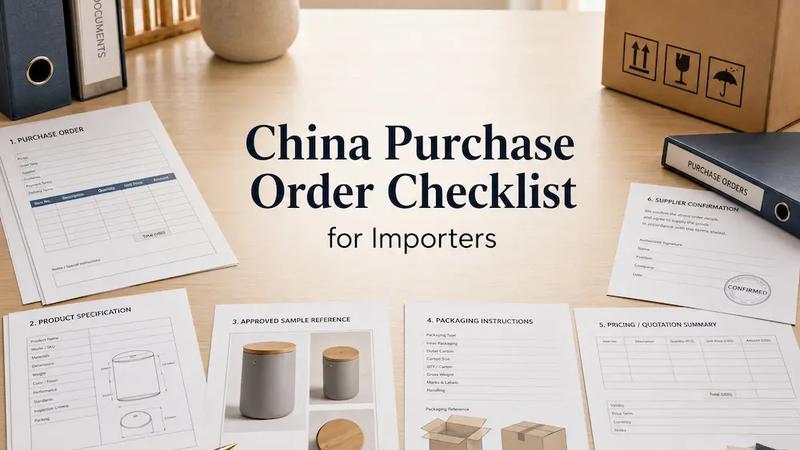

An approved quotation, purchase order, pro forma invoice, and deposit request can all exist while an order is still not ready for production. Each document may be valid on its own but refer to a different quantity, drawing, packaging file, or delivery assumption. The final order confirmation is where those differences have to be found and closed.
An order is ready for confirmation when the quotation, PO, PI, product specification, sample status, packaging files, payment terms, delivery timing, and inspection requirements refer to the same approved version, and the supplier has clearly accepted any remaining conditions. This is an operational test, not a legal definition.
The aim is simple: the buyer, supplier sales contact, production team, and quality team should be working from the same approved product, commercial, packaging, timing, and quality information. Use this China order confirmation checklist after the order documents have been prepared and before releasing a deposit or authorizing production.
1. Define What “Order Confirmed” Means
Start by naming the current status. “Received,” “accepted,” and “released for production” describe different events. A supplier may have received the PO but still be reviewing capacity. It may accept the product and price while proposing a later delivery date. Product production may be released while packaging printing remains on hold.
Use separate statuses for order received, order reviewed, order accepted, changes proposed, deposit received, product released, packaging released, and ready for inspection. The status should describe what has actually happened, not what the buyer assumes will happen next.
A useful supplier order acknowledgment does one of four things: accepts the order as issued, rejects it, proposes specific changes, or identifies unresolved items. SAP’s purchase-order acknowledgment guidance uses the same practical distinction between acceptance, rejection, and proposed deviations in price, quantity, or delivery. Oracle Procurement also treats supplier acknowledgment and proposed changes as reviewable purchasing events.
See the official SAP purchase order acknowledgment guidance for an example of how acknowledged deviations are separated from full acceptance.
Do not mark the order accepted because the salesperson replied “received.” Ask for a response against the current order version and record any proposed deviation before payment or release.
2. Build the Final Order Confirmation Pack
The final confirmation pack is a controlled set of documents, not one oversized form. It normally includes the approved quotation, PO, PI, product specification, sample approval record, drawings, artwork, packaging instructions, accessory list, exception log, inspection requirements, and payment schedule. Add only documents that apply to the order.
Create a short index that shows the file name, document number, version, date, approval status, and owner. The PO can point to this index instead of repeating every dimension and packaging instruction. Someone who did not join the negotiation should still be able to identify the active files without searching through email or WhatsApp.
File names such as final.pdf, final-new.pdf, and final-2.pdf are not version control. Use a stable reference such as SPEC-104 Rev C or ART-104 Rev B, then record which earlier version it replaces. ISO’s guidance on documented information explains why identification, review, access, and change control matter when documents are used to operate a process.
For the underlying document-control principle, see ISO guidance on documented information . The order pack does not need to become an ISO system; it needs a clear active version and an accessible record of approval.
3. Match the Quotation, PO, and Pro Forma Invoice
Place the approved quotation, current PO, and supplier PI side by side. Match the supplier and buyer entities, model, buyer SKU, quantity, unit price, currency, additional fees, packaging charges, tooling, freight, Incoterm, deposit, balance, and delivery term. Compare the documents line by line rather than checking only the grand total.
Common discrepancies are ordinary but consequential: the supplier attaches an older quotation, prepares the PI using a previous quantity, omits a packaging charge, changes the currency, calculates the deposit from the wrong base, or shortens a model number until two variants look the same. A mismatch needs a corrected document or a written, approved exception. It should not be carried into production as an assumption.
The China Purchase Order Checklist explains what the PO should contain. This confirmation step asks whether the PO, quotation, and PI now agree.
Before transferring funds, use the China Supplier Payment Checklist to verify the beneficiary, amount, milestone, and payment record.
If an Incoterm applies, record both the rule and named place exactly as agreed. “FOB” alone leaves an important part of the delivery term incomplete; the order documents should name the agreed port or place and use the same wording.
4. Confirm Product Identity and Specification Versions
Match the buyer SKU, supplier model, material, dimensions, thickness, color, finish, voltage, frequency, plug, capacity, component configuration, and accessories. Add gas type or other technical variables where relevant. The purpose is not to rewrite the specification. It is to prove that every commercial document and production reference points to the same product configuration.
Kelsy’s practical note: In one order I handled, the sales contact had the current requirements, but workers on the production floor were using an older drawing. We discovered the difference during inspection. It reminded me that sending the final file is not enough. The factory also needs to remove or clearly supersede outdated versions.
Ask the supplier to state the active drawing and specification numbers, mark older files “superseded,” and confirm that production and QC received the same versions. Send the same controlled files to the inspection team. Inspection may reveal a version mistake, but aligning the file before production is the better control.
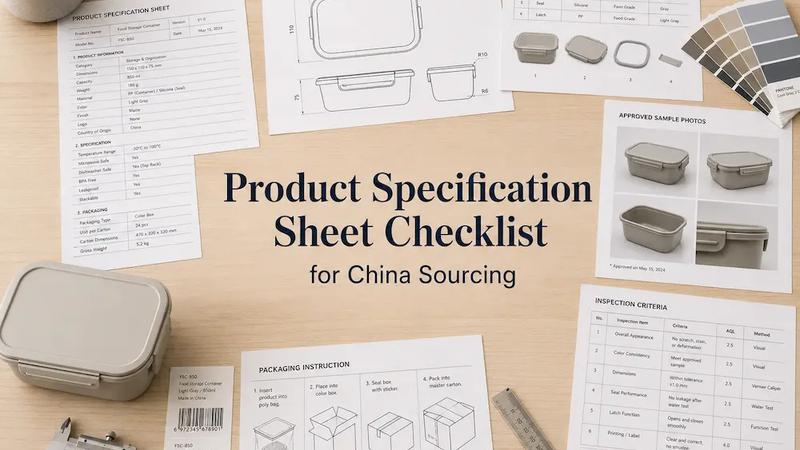
Use the Product Specification Sheet Checklist to prepare the technical requirements themselves. In this final review, check their version, approval, distribution, and connection to the ordered SKU.
5. Confirm Sample, Drawing, and Reference Status
Record the approved sample version, approval date, buyer-held reference, supplier-retained sample, drawing version, reference photographs, and every accepted exception. State whether the sample is a visual reference, a functional reference, or both. A sample approved for color and appearance may not prove capacity, material grade, electrical configuration, or dimensional tolerance.
Avoid the instruction “same as sample” when written requirements control important attributes. Link the sample record to the specification and list any deliberate difference between the approved sample and production order. If the sample used a temporary component or neutral packaging, production should not silently copy it.
The Sample Approval Checklist provides the approval record. The order confirmation pack should show which approved sample applies to each model and which written requirements take priority where the sample is incomplete.
6. Separate Product Approval From Packaging Approval
Product readiness and packaging readiness often move on different schedules. A product can be approved while artwork is still being revised. Treating the whole order as “confirmed” hides that difference and can release packaging printing too early.
Kelsy’s practical note: Buyers sometimes approve packaging and later change a social-media account, logo detail, or color. I record packaging approval with a version and date, even after someone has called it final. Product production and packaging printing then have separate release decisions.
| Area | Status | Permitted action |
|---|---|---|
| Product specification | Approved | Product production may begin |
| Product sample | Approved | Use as production reference |
| Packaging artwork | Revision pending | Do not print |
| Export carton | Approved | Carton sourcing may begin |
Use the Private Label Packaging Checklist to control artwork, labels, barcodes, colors, and carton marks before giving a separate print release.
7. Confirm Quantities, Variants, Components, and Accessories
Reconcile quantity by SKU and variant. Check colors, sizes, voltages, plug types, gas configurations, quantity per carton, spare parts, installation hardware, manuals, and accessories. Totals on the order, PI, packing plan, and inspection instruction should agree.
The same model name does not always mean the same component configuration. Record component brands or origin where they affect the approved order. Some buyers specify a higher-grade imported-brand component instead of a domestic alternative. If that distinction matters, put it in the active specification and commercial documents rather than leaving it in chat.
For accessories, state both the item and quantity per finished unit or carton. “Accessories included” is difficult to inspect and easy to interpret differently. Identify approved substitutions and require written approval for any other change.
8. Separate Deposit Payment From Production Release
Sending a deposit, the supplier receiving it, and the factory starting production are separate events. In a normal factory workflow, the salesperson creates or completes the customer order after funds arrive. Production reviews the requirements, prepares an internal task order, and then starts material preparation or manufacturing.
Kelsy’s practical note: I track the buyer’s transfer date, the supplier’s bank receipt date, internal order entry, production task release, and actual material or production start separately. A deposit is a payment milestone. It does not prove that the production department has accepted the order pack or issued its task order.
Before paying, define what the deposit authorizes. It may secure materials, start tooling, or satisfy a commercial condition while production remains on hold. After payment, ask for confirmation of receipt and the next internal milestone. Then record the written production release instead of inferring it from the bank transfer.
9. Define the Lead-Time Starting Point
Write down the event that starts lead time. The buyer may count from the transfer date while the supplier counts from the date funds reach its bank. In Kelsy’s operational experience, an international transfer can create a one-to-three-day gap. Artwork, final sample approval, or another blocking item can move the factory’s start later still.
Agree on one observable event: deposit received, final specification approved, artwork approved, formal production release issued, or all production blockers closed. If product manufacturing and packaging printing have different starting events, record both. Also distinguish planned start, actual start, inspection-ready date, and delivery target.
Do not assume every factory uses the same rule. Put the agreed starting event and resulting target date in the supplier acknowledgment, then update the schedule if a blocking approval arrives late.
10. Record Open Items, Blockers, and Approved Exceptions
An open item is manageable when its effect is explicit. Classify it as a production blocker, partial blocker, or non-blocking item. Record the owner, due date, permitted work, prohibited work, and final approval. This turns “we can start while waiting” into an instruction that production can follow.
Production blocker
Production cannot begin when product identity, material, voltage, or a critical drawing is unresolved. Close the item and issue a new release; do not rely on a promise to decide later.
Partial blocker
Some work may proceed while a later operation waits. For example, material sourcing or product manufacturing may begin while final assembly or packaging printing stays on hold.
Non-blocking open item
A non-blocking item can be closed later without changing the permitted production work. It still needs an owner and date so it is not forgotten before inspection or shipment.
Kelsy’s practical note: For a product with a longer manufacturing cycle than its packaging, I have allowed product production to start while the buyer finalized artwork. The instruction stated that product manufacturing could begin, packaging printing could not begin, final artwork would follow after approval, and the supplier had to wait for a separate packaging release.
Approved exceptions belong in the same register. State the requirement, accepted deviation, affected quantity or SKU, approver, and date. A chat message that cannot be connected to the active order version is not a controlled exception.
11. Obtain Meaningful Supplier Acknowledgment
Replies such as “OK,” “noted,” “received,” and “no problem” confirm very little on a complex order. Ask the supplier to identify the documents reviewed, active versions, accepted conditions, proposed changes, and open items. The acknowledgment should say whether cost or lead time changes and what work may proceed.
Kelsy’s practical check: When a requirement is complicated, I ask the supplier to explain it back to me. I may ask for its understanding of the model, material, configuration, affected SKU, file version, and required action. A correct restatement is more useful than a one-word “OK,” although it still does not guarantee execution.
Compare the supplier’s explanation with the intended requirement. If it is incomplete or wrong, correct the misunderstanding and request a new acknowledgment before release. For high-risk details, ask who in engineering, production, and QC has received the instruction. The sales contact’s understanding is necessary but not sufficient for an internal factory handoff.
12. Confirm Inspection and Quality Requirements
Record whether inspection is required, when and where it will happen, and which specification, sample, and approved deviations control acceptance. Include functional tests, appearance standards, packaging and quantity checks, corrective-action expectations, and any reinspection condition that applies to the order.
Send the quality team the same active files used for production. The inspection booking should identify model and SKU, inspection quantity or stage, available samples, test method, packaging status, and known exceptions. If a requirement cannot be checked at final inspection, decide how it will be verified earlier.
The old-drawing case is a useful warning: inspection can expose that production used a superseded version, but it may do so after goods have already been made. Document control and supplier handoff should prevent the mistake; inspection is a later check, not a guarantee against every loss.
Use the China Pre-Shipment Inspection Checklist to prepare the final shipment review.
See Kelsy’s quality inspection service if you need on-site checking against the approved order basis.
13. Issue a Controlled Production Release
The production release should state exactly what the supplier may start: material preparation, tooling, product manufacturing, packaging printing, final assembly, or full production. Anything not released should remain on hold. This matters most when the order has a partial blocker.
Before full release, check the product model, material, accessories, component brand or origin, voltage, plug, and packaging method one more time. Then list the PO number, specification version, approved sample reference, artwork and packaging status, open items, approved exceptions, release date, and person authorizing the work.
Send the release in writing and ask the supplier to confirm the scope. If the release later changes, issue a revised instruction that identifies what changed and replaces the earlier one. Do not let a new chat message coexist with an older “full production approved” instruction.
Once work begins, the China Production Follow-Up Checklist helps track actual progress against the released order, evidence, and target dates.
14. Common Order Confirmation Mistakes
- Treating PO receipt as acceptance. Ask the supplier to accept, reject, propose changes, or list unresolved items against the current version.
- Using an old quotation or PI quantity. Reconcile each commercial line and replace the incorrect document before payment.
- Keeping several files named “final.” Give each specification, drawing, and artwork file a version and clearly supersede older copies.
- Leaving changes in WhatsApp. Add the approved change to the order pack, exception log, or revised release.
- Treating deposit receipt as automatic production release. Record payment and production authorization as separate milestones.
- Failing to define when lead time begins. Agree on a specific starting event and resulting target date.
- Combining product and packaging status. Release manufacturing and printing separately when their approvals differ.
- Ignoring component-brand or origin differences. Connect the approved configuration to the model, price, and inspection basis.
- Accepting “OK” as confirmation. Ask for a restatement of complex requirements and a list of exceptions.
- Sending final files only to sales. Confirm that production and QC received the active versions.
- Printing packaging before artwork approval. Keep printing on hold until the dated artwork version is released.
- Failing to record approved deviations. Put the affected SKU, quantity, approver, and date in an exception log.
15. Final China Order Confirmation Checklist
Use the checklist below as the final order review before deposit release or production authorization. A checked box should point to evidence: a matching document, dated approval, supplier response, or written release. If an item does not apply, mark it not applicable instead of leaving its status unclear.
The order is ready for full production only when commercial documents and technical references align, blocking items are closed, the supplier has acknowledged the active versions, quality requirements are available, and the permitted work is stated in writing. If packaging or another later process remains open, issue a partial release with an explicit hold.